Sites built with vagejs
Copy one to start your own.
We built three example websites with vagejs so you can see what it makes: a portfolio, a documentation site and a local bakery. Each one is live on its own address, and each is a complete project you can copy and make your own.
npm create vagejs@latest my-site- 3Example sites you can copy
- 0 KBJavaScript sent to visitors
- 0Errors or warnings in check and audit
Three example sites
The people, products and businesses in them are made up. All three send no JavaScript to visitors and pass vage check and vage audit with no errors or warnings.
Portfolio
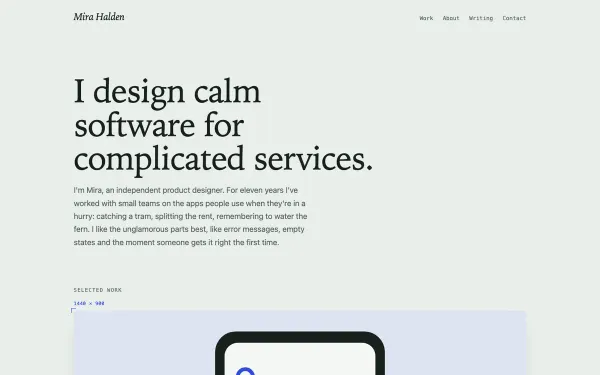
A product designer's portfolio, with three case studies, a writing section with its own RSS feed, and artwork drawn as SVG. It's a good start if you're a freelancer, designer or consultant.
Documentation site
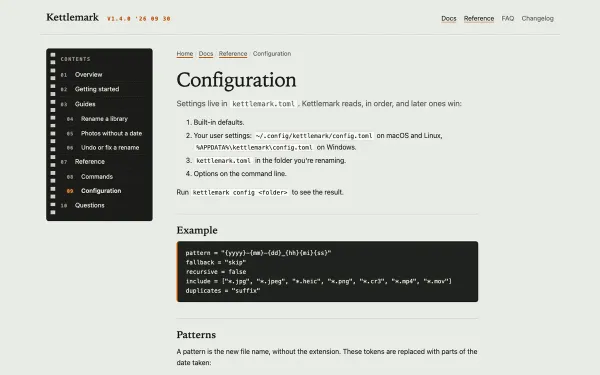
Docs for a small command-line tool. The sidebar, breadcrumbs and previous and next links all come from the pages themselves, using each page's
orderandnavTitle. On phones, the page comes first and the menu after it.Local business
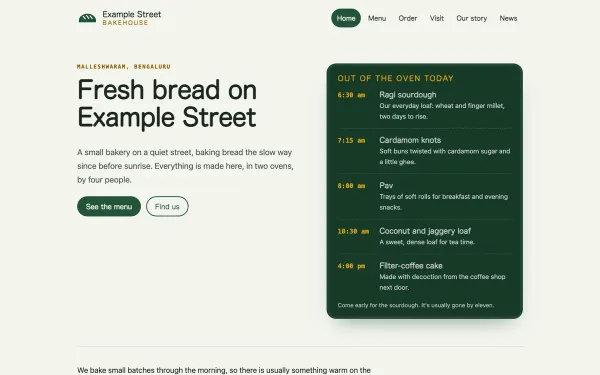
A neighborhood bakery in Bengaluru, with a menu priced in rupees, opening hours, a news section and local-business structured data, so search engines can show the address and hours. It's a good start for a shop, café or clinic.
Start from an example
Copy the examples to your computer, pick a folder, and you're running. You'll need Node.js 22.12 or newer.
git clone https://github.com/agevenkat/vagejs-examples.git
cd vagejs-examples/bakery
npm install
npm start
Show us your site
Built something with vagejs? Share it in GitHub Discussions. We'd love to add real sites here, with their owners' permission.
Questions about the example sites
Are the people and businesses in the examples real?
No. The designer, the command-line tool and the bakery are all made up. The sites themselves are real, though: each one is live on its own address and built the same way your site would be.
What do I need to run an example on my computer?
Node.js 22.12 or newer, and git to copy the examples. Clone the examples, go into one folder, then run npm install and npm start.
Do I have to start from an example?
No. You can start fresh with npm create vagejs@latest my-site and ask your AI assistant to build the site you need. Our prompt library has requests you can paste in.
Can my site be added to the showcase?
We'd like that. Share it in GitHub Discussions, and we'll only add it here with your permission.
Start with one command.
You'll have a site running in a minute.
npm create vagejs@latest my-site