The Static Site Generator
Built for AI Website Development
Write pages as plain text files, or let your AI coding assistant write them: Claude Code, Cursor, Codex, Copilot or Gemini CLI. vagejs is a free, open-source static site generator that turns them into a fast, secure website that search engines and AI assistants understand.
npm create vagejs@latest my-siteCopy the command · you'll need Node.js 22.12 or newer
MIT licensed · v0.16.2 · Open source on GitHub · Lighthouse report
Get startedUse it with Claude CodeAsk your AI assistant to build your site
- Scores 100 on Lighthouse out of the box
- SEO and AI-search files built in
- React, Vue and MDX, with no JavaScript by default
- Sites in several languages
- $ npm create vagejs@latest my-site
- Created ~/projects/my-site
- Install and start the site now? (Y/n) y
- added 80 packages in 9s
- Build your site with: 1. Claude Code 2. Codex 3. The browser editor 4. Just open the site
- Choose a number (Enter for 1): 1
- vagejs dev server running at http://localhost:5173/
- same server: http://[::1]:5173/
- editor: http://[::1]:5174/ (edit pages in your browser; only on this computer)
- Starting Claude Code in my-site.
Not a developer?
Build your website with an AI assistant.
Let your AI assistant set it up
Paste one of our ready-made prompts into Claude Code, Cursor or another AI coding assistant. It creates the site, adds your pages and checks them, and you approve each step.
Or have an agency build it
These agencies build and look after vagejs sites for their clients.
You ask. Your AI assistant builds.
vagejs checks every page before it goes live.
When you create a site, pick your assistant and it starts with a first prompt that sets the site up with you. Every new site comes with an instructions file, AGENTS.md, that tells your assistant the commands and the rules. So it builds pages the right way, fixes what the check finds, and asks you before anything is published.
- Your promptAdd a pricing page
- AI assistantFollows AGENTS.md
- Page filessrc/pages/pricing.md
- vage checkLinks, titles, accessibility
- You approveThe plan comes first
- Live siteDone only when it answers
-
You ask
Describe the page you want, in your own words.
-
It writes the page
The page is a plain text file you can read and edit yourself.
-
vagejs checks it
The check names the exact file and problem, and the assistant fixes it before you see it.
-
You approve the deploy
You see the plan first. It goes live only when you say yes, and only says done when your site answers.
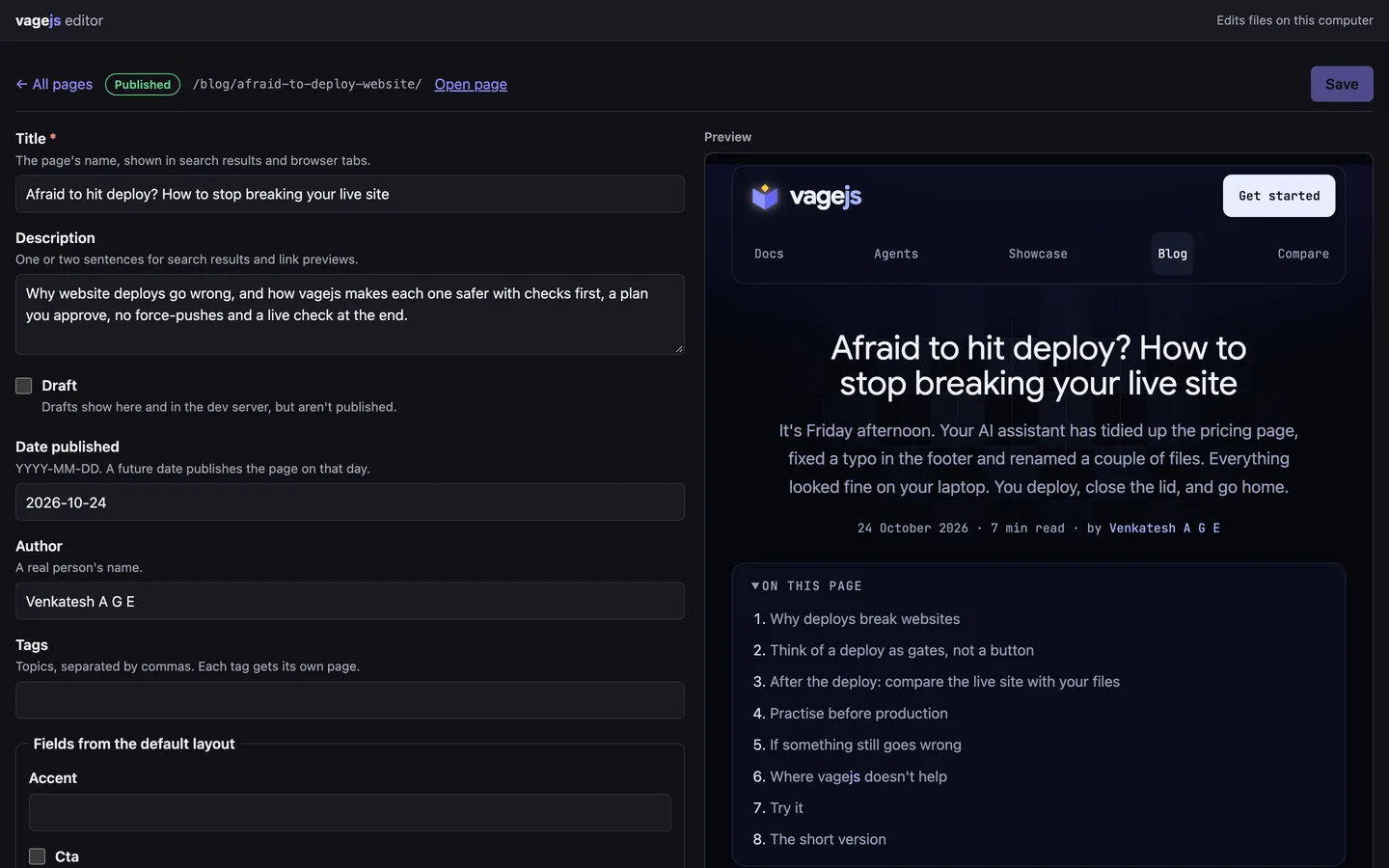
Edit in your browser.
See the page as you type.
npm run dev also starts a local editor: the next steps for a new site, every page, a form for its details, the text with a live preview in your site's design, image upload and the check results. It edits the same files your AI assistant does, and it never becomes part of your live site.
Real sites, built with vagejs.
Static site examples, with the source to copy.
See the showcase
-
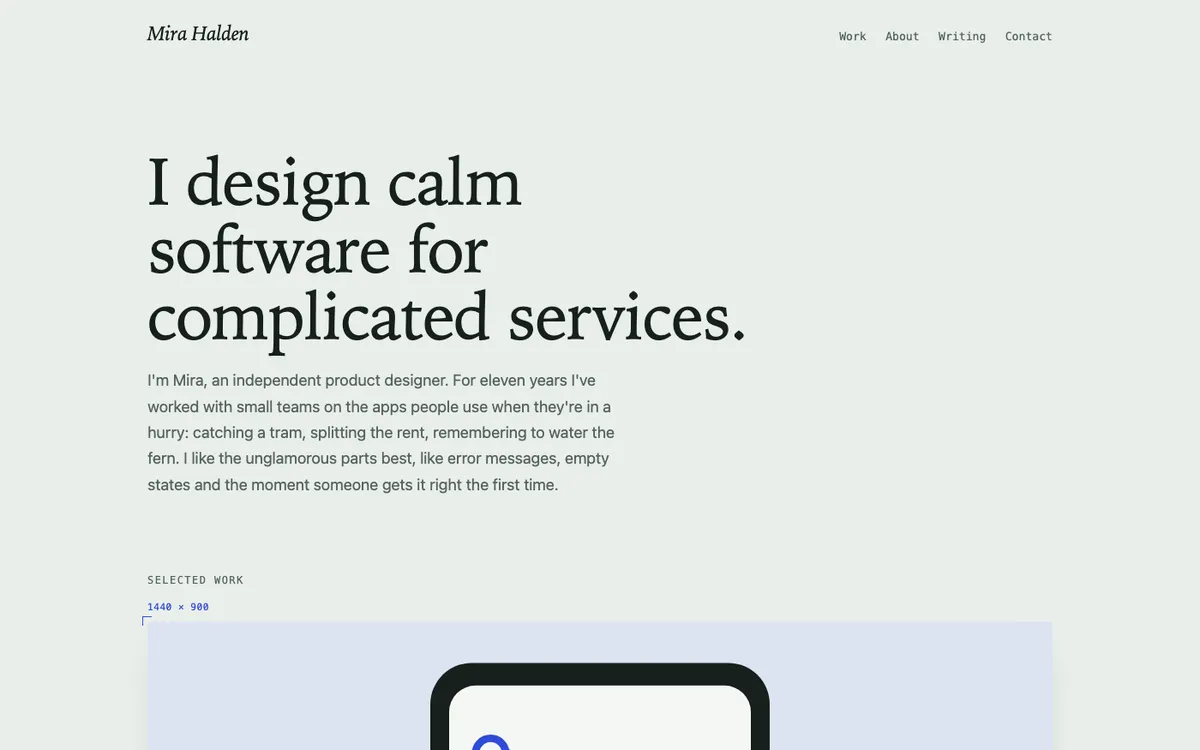
Portfolio
A designer's portfolio with case studies and a writing section.
-
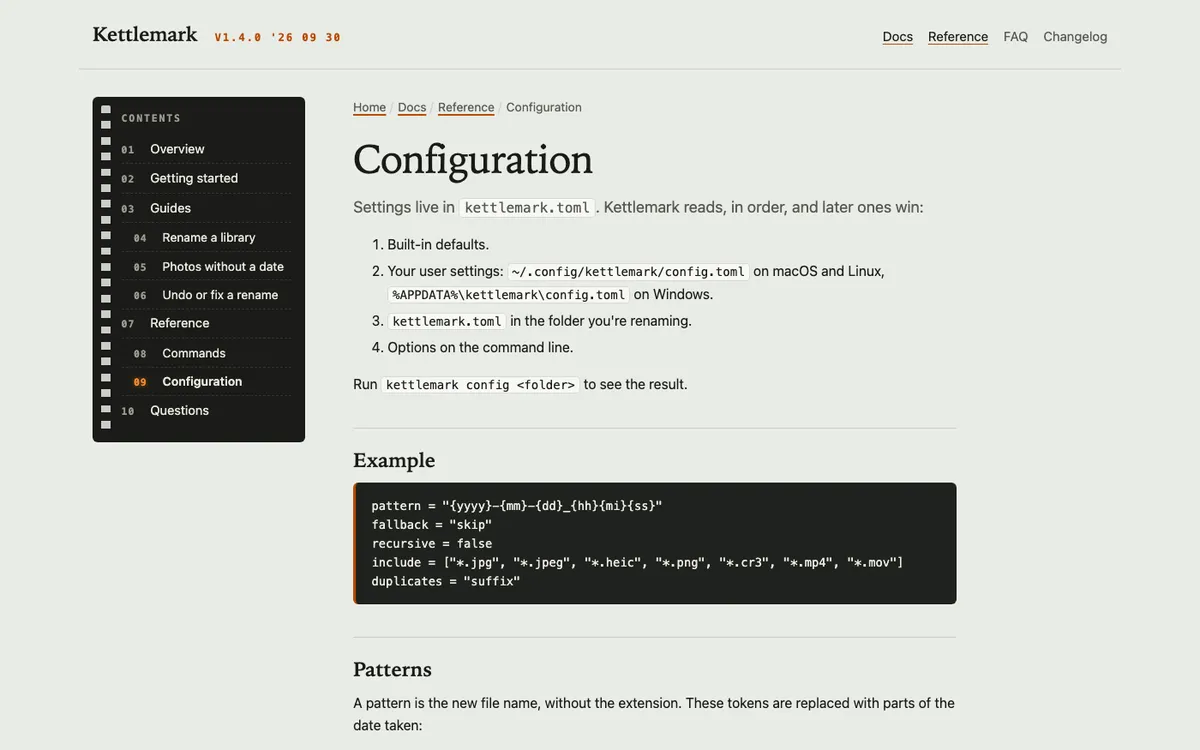
Documentation site
Docs for a command-line tool, with a sidebar built from the pages themselves.
-
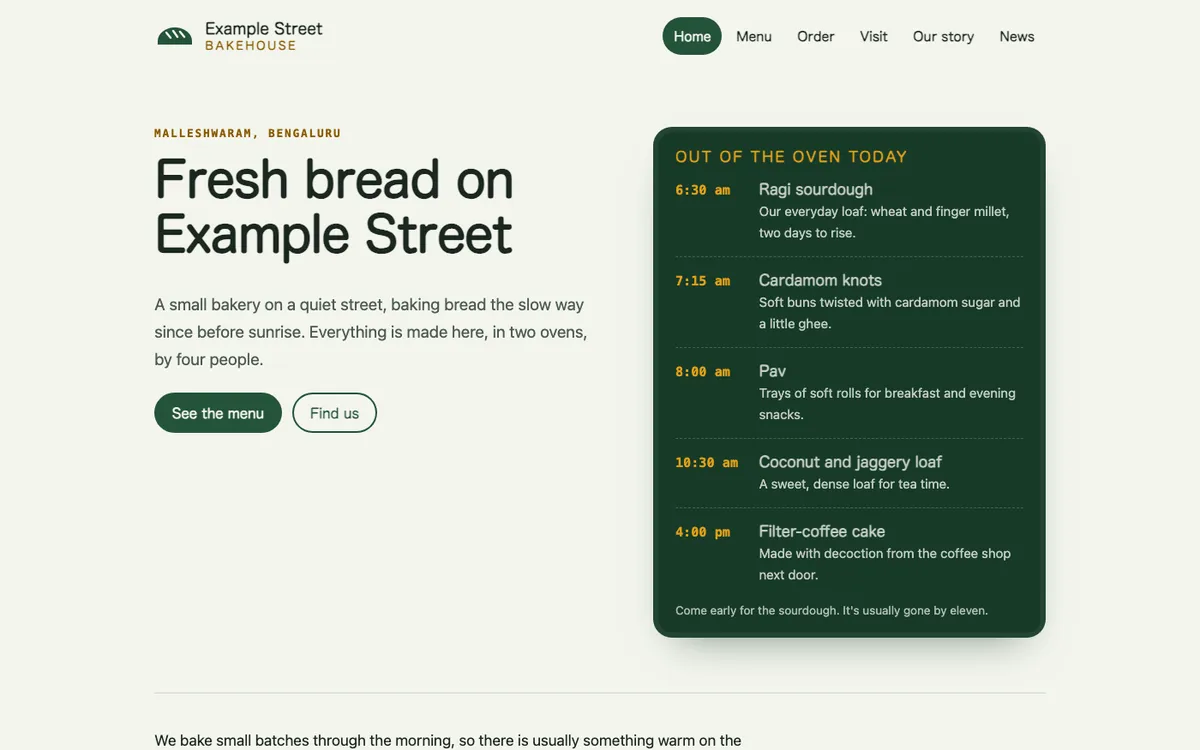
Local business
A bakery with its menu, opening hours and news, ready for local search.
Everything a content site needs.
SEO, sitemaps and llms.txt, built in.
-
Write
Pages are text files or MDX. Layouts in TypeScript, React or Vue.
Pages from files
Drop a text file into a folder and it's a page. Tag pages by topic, keep drafts hidden, or date a post to publish later.
How to use: src/pages/pricing.md → /pricing/Edit in your browser
A form for each page, a live preview in your design and the next steps for a new site, on your own computer. Or edit the files directly.
How to use: npm run devReact, Vue and MDX
Write layouts as components and pages as MDX. They become plain HTML, and only components you mark interactive run in the browser.
How to use: <Counter client:load />Smaller images
Photos get resized WebP and AVIF copies, and each browser picks the size it needs.
How to use: images: { optimize: true }
-
Get found
Search engines and AI assistants get an accurate picture of every page.
Sitemap, robots.txt and llms.txt
Made from the pages that really exist, plus RSS feeds and Markdown copies of pages for AI tools.
How to use: npm run buildSearch and social previews
Page summaries, a share image for every page, breadcrumbs and structured data that help Google and AI assistants understand each page.
How to use: defaultImage: "/images/og.png"Sites in several languages
A folder for each language, the right language tags on every page, and a check for missing translations.
How to use: i18n: { locales: ["fr"] }You choose the AI crawlers
Allow or block AI training and AI search crawlers separately.
How to use: robots: { aiTraining: "disallow" }
-
Check and protect
Problems show up on your machine, before visitors see them.
Built-in site check
Catches broken links, missing details and accessibility slips, and points to the file.
How to use: npx vage checkSpeed and accessibility audits
Size limits for each page, accessibility rules, and Lighthouse when you want it.
How to use: npx vage auditProtected from spam injection
Hidden scripts and links to unapproved websites never make it onto your pages.
How to use: npx vage linksNo leaked secrets
Passwords, API keys and .env files are never published, and nobody's work is overwritten.
How to use: npx vage deploy
-
Publish and grow
Go live with one command, then see how people find you.
One-command publishing
Cloudflare, Netlify or GitHub Pages. You approve a plan first, and your site stays online while it deploys.
How to use: npx vage deployContact forms
A form that emails you, with spam protection and no JavaScript, on Cloudflare.
How to use: contact: { to, from }Privacy-friendly analytics
Google Analytics, Tag Manager, Plausible or Clarity. Off until you turn it on, and it waits for consent.
How to use: ga4: { measurementId: "G-…" }Search reports and IndexNow
Search Console numbers in the terminal, and a ping to search engines when pages change.
How to use: npx vage report search
Fast out of the box.
100 on Lighthouse, 0 KB of JavaScript.
We tested a brand-new vagejs site with Google's Lighthouse tool. It scored a perfect 100 in every category, and the page loaded in under a second on a simulated phone connection.
100Lighthouse score
In performance, accessibility, best practices and SEO, on a brand-new site.
0.8 sMain content visible
On a simulated slow phone connection (Largest Contentful Paint).
0 KBJavaScript sent
Pages are plain HTML. JavaScript is added only where you add it, such as an interactive component.
0.5 sTo build the site
For the four-page starter site, ready to publish.
See every number and how we measured
| Metric | vagejs starter | Good is |
|---|---|---|
| Main content appears (LCP) | 0.8 s | under 2.5 s |
| Layout jumps (CLS) | 0 | under 0.1 |
| Time the page is frozen (TBT) | 0 ms | lower is better |
| First text appears (FCP) | 0.6 s | lower is better |
| JavaScript sent to visitors | 0 KB | less is faster |
| Data downloaded | 1.7 KB in 2 requests | less is faster |
| Time to build the site | 0.5 s for 4 pages | faster is better |
How we measured: a fresh site from npm create vagejs@latest (vagejs 0.16.1), tested with Lighthouse 13.5.0 on mobile settings with a simulated slow network on 28 October 2026. We ran it twice and got the same numbers both times. These are lab results. Google also looks at data from real visitors, and your own numbers will depend on your images, content and hosting.
Questions people ask.
Straight answers.
What kinds of websites can I build with vagejs?
Content websites, such as company sites, blogs, documentation, portfolios and sites for a shop, café or clinic. Our showcase has a live portfolio, docs site and bakery you can copy. For apps with logins and live data, an application framework is a better fit.
How fast is a vagejs site?
A brand-new vagejs site scored 100 in every Lighthouse category, showed its main content in 0.8 s on a simulated slow phone connection and sent 0 KB of JavaScript. These are lab results from 28 October 2026, and your own numbers will depend on your images, content and hosting.
How do I build a website with Claude Code, Codex or Cursor?
Run npm create vagejs@latest my-site and pick your assistant when it asks. It starts with a first prompt that sets the site up with you. Or ask your assistant to build a site with vagejs: every new site includes an AGENTS.md file that tells it the commands and the rules.
How does vagejs stop AI assistants from publishing mistakes?
vage check reads every page before it goes live and names the file behind each broken link, missing title or invalid structured data, so your assistant fixes it first. Links to websites you haven't approved fail the check, and nothing is published until you say yes.
Where do my pages live?
In plain Markdown files in your project's src/pages folder, and each file's place decides its address: src/pages/pricing.md becomes /pricing/. Your AI assistant and the browser editor change the same files, so all of your content stays in files you own.
How do I publish my site?
Run npx vage deploy. It checks the site, shows you a plan and publishes to GitHub Pages, Cloudflare or Netlify only after you say yes, and it says done only when your site answers. Any other static host, such as Vercel, can serve the built dist folder.
Start with one command.
You'll have a site running in a minute.
npm create vagejs@latest my-siteSupported by


- and an individual sponsor